01
Start with the stationery you actually need
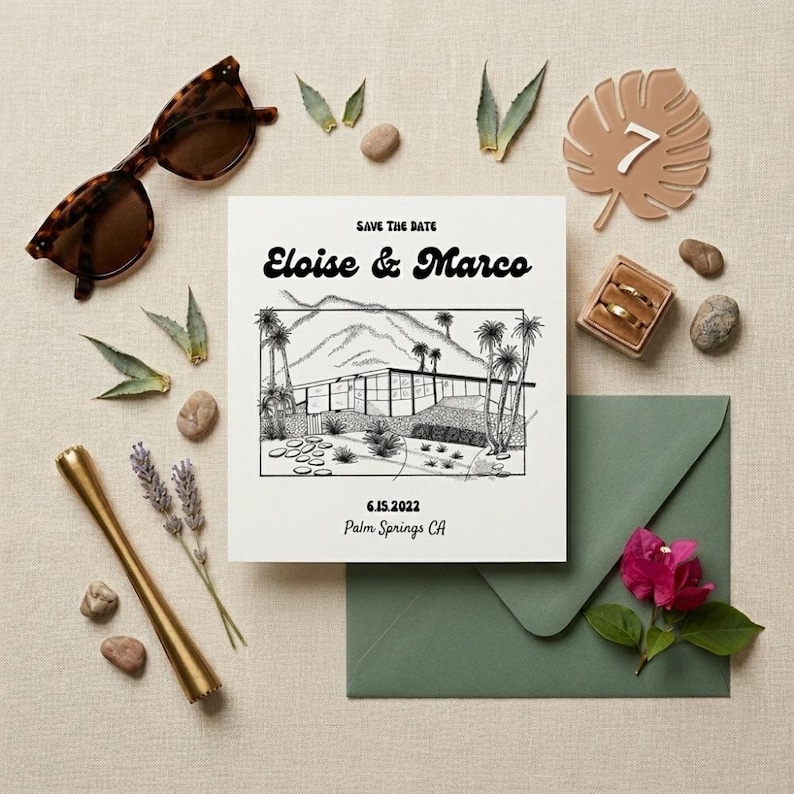
A save the date announces the day and destination before the full ceremony details are ready. An invitation asks guests to attend a specific event at a specific time. The current Palm Springs product is an editable save the date, so do not assume it includes an invitation, RSVP card or complete wedding suite.
- Save the date: names, wedding date and actual city.
- Invitation: ceremony time, venue and reception details.
- Website or details card: travel information, schedule and responses.
02
Personalize the Palm Springs Canva template
The current save the date uses a hand-drawn venue sketch with editable wording on a front-and-back design. Check the gallery for the illustration and layout, and follow the included Canva guidance. A new drawing of your hotel or ceremony site requires a separate conversation with the studio.
- Edit your names, date and destination within the supported options.
- Check both sides for old placeholder text before exporting.
- Confirm any new illustration or coordinating piece before placing a custom order.
03
Keep destination guest information current
Guests may be booking travel before you have finalized every weekend detail. Share confirmed information on one wedding website and label optional events clearly. Use the actual city where each event takes place rather than relying on a broad Palm Springs destination label for directions.
- Verify venue addresses and any transport meeting points.
- Separate welcome events, the ceremony and a farewell gathering.
- Set your RSVP deadline around the dates your vendors need final numbers.
04
Plan the printing and mailing as separate steps
The featured save the date is a 5 × 7 front-and-back design. Confirm the printer’s file, bleed and two-sided alignment requirements before exporting. Print one proof, review both sides, then choose envelopes that fit the finished card. Check postage for the assembled mailing rather than budgeting only for the digital design.
- Proof names, date, location and wedding website.
- Test a website link or any QR code you choose to add.
- Confirm paper, envelope fit and postage separately from the template purchase.
Make it your own
A starting point for your invitation wording
Replace the placeholders with your confirmed details. Adjust the hosting line and tone to fit your celebration.
Save the datefor the wedding of[Name] and [Name][Wedding date][Actual city], CaliforniaInvitation to followMore details: [wedding website]More wedding invitation wording guidance
Final pass
Before you download or print
- Confirm you need a save the date rather than an invitation.
- Review the existing sketch and both sides of the layout.
- Use the actual city and a working website address.
- Confirm any separate coordinating design request.
- Print a two-sided proof before the full order.
Questions before choosing
Palm Springs wedding invitations & save the dates: FAQs
Is the Palm Springs wedding stationery a printed product?
The featured product is a digital Canva save the date. You personalize and download the design, then arrange printing separately.
Does the Palm Springs save the date include a wedding invitation?
No. The current listing covers the front-and-back save the date. Discuss any separate invitation, RSVP or details card request with the studio.
Can I replace the Palm Springs venue illustration?
The current template uses the drawing shown in its gallery. A new illustration of your particular venue is a custom request, not a standard text edit.
Do I need Canva Pro for the Palm Springs save the date?
The current product guidance says the design uses elements available on Canva’s free plan. Check the listing and avoid adding paid elements if you want to keep your edits within that plan.